Autonomous Drone
Setup, Simulation, Implementation
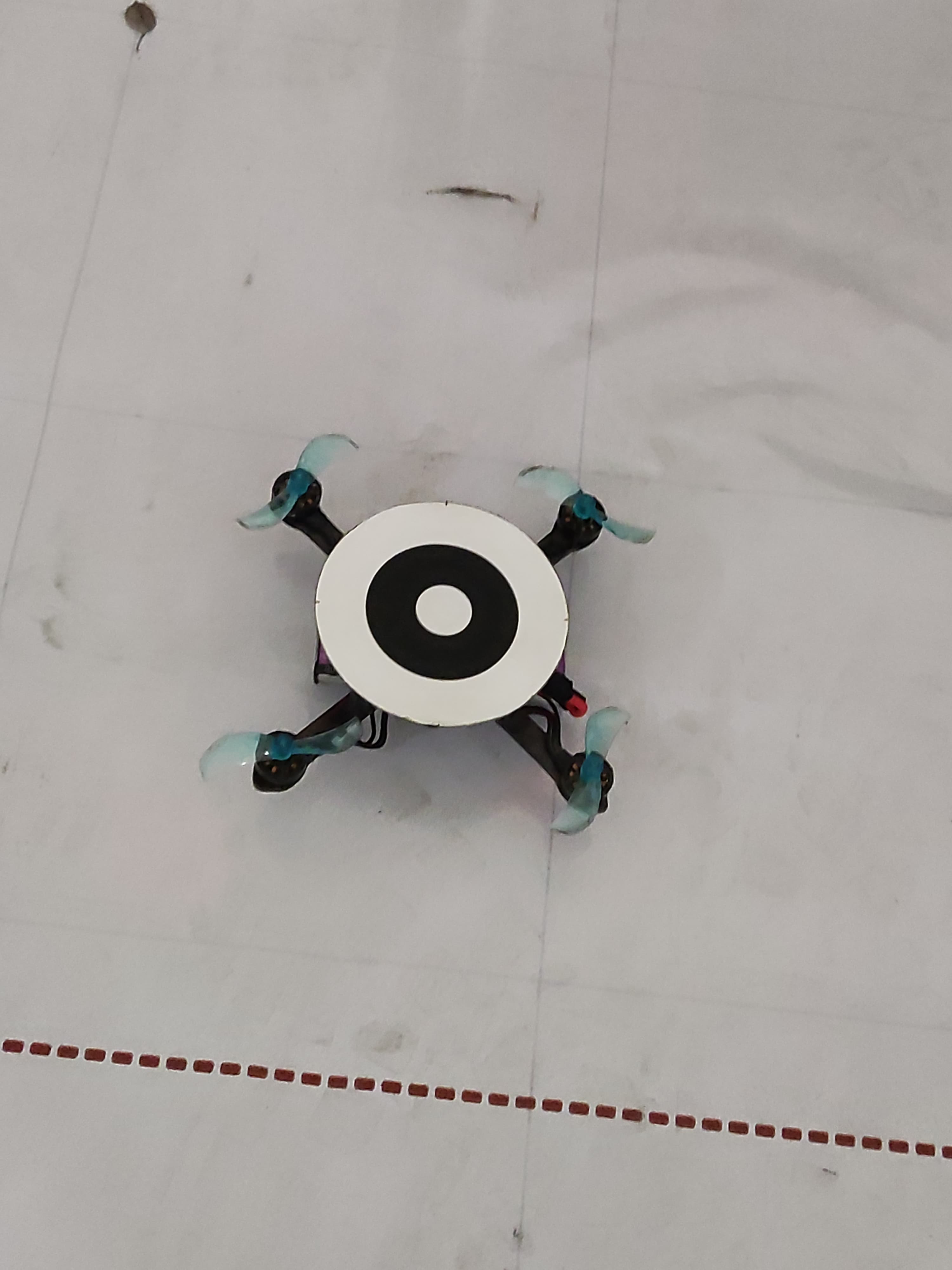
Warehouse Drone: Implementation: Simulator + Hardware
Overview
An autonomous quadcopter designed for warehouse logistics, equipped with a self-navigation system for obstacle avoidance in dynamic environments. It features package identification and seamless integration with central warehouse management systems (CWMS). The quadcopter optimizes inventory tracking and retrieval, enhancing supply chain efficiency in high-demand logistics operations.
Control
CWMS: Broadcasts Package IDs. Drone Software: The drone system Identifies, Locates, and Traverses a dynamically computed Path to the target package.
Simulation in Gazebo Simulator (Classical Control):
This shows the Simulation of the Process:
- CWMS Sends Package IDs
- A Drone Client Node Receives These, computes the Paths to traverse, and sends waypoints to a Drone Server Node
- The Server is responsible for controlling the Drone, based of Client Requests, and Overhead Camera.
Detailed Process:
Arena/Warehouse Setup:
Simulated:
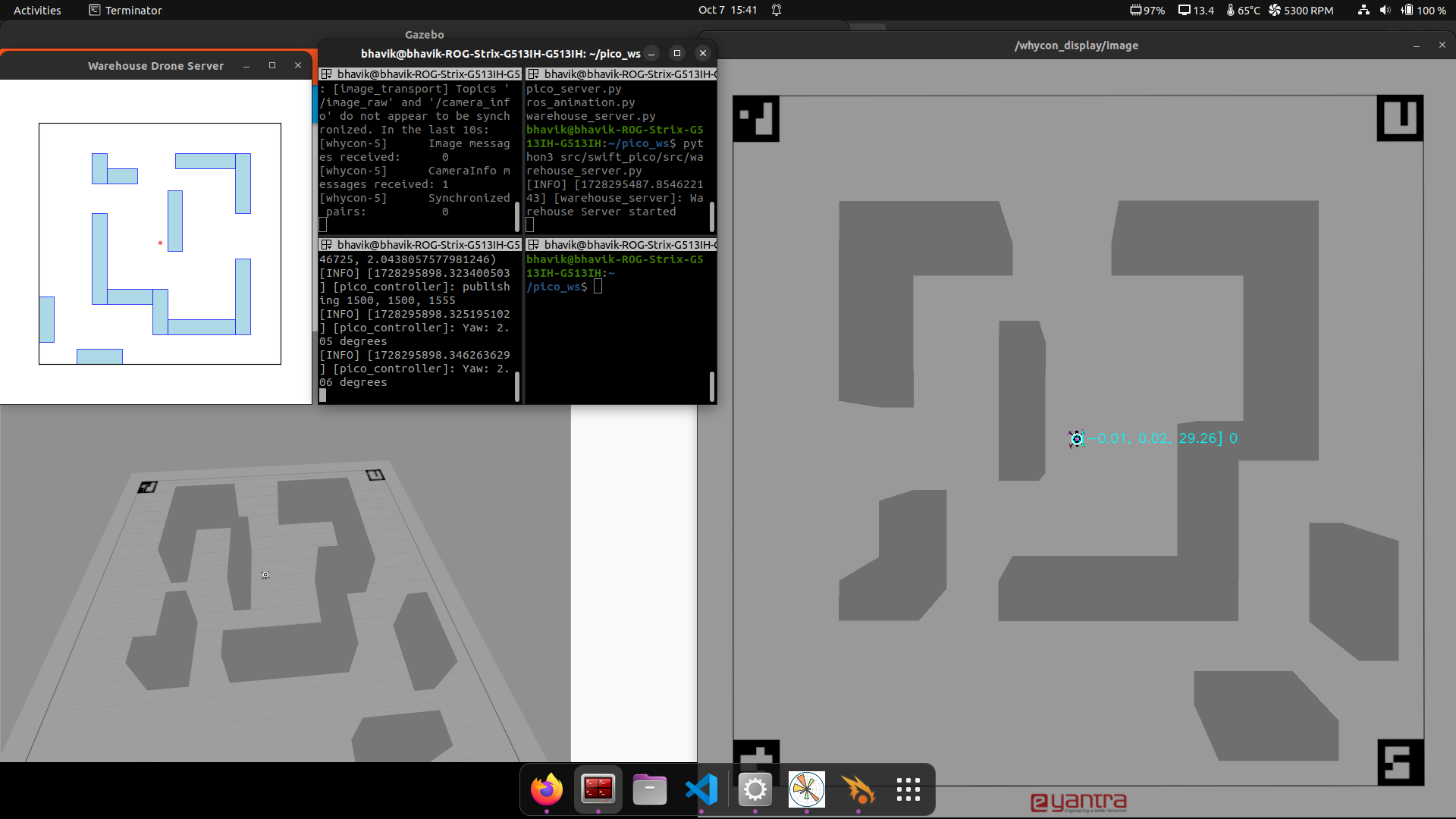
- Overhead Camera for detecting Drone locations and identifying obstacles.
- 4 Aruco markers at the corners of the Warehouse, used for image processing.
- Racks for storage of packages.
- Simulated drone, using force at each propeller based on throttle commands.
Physical:
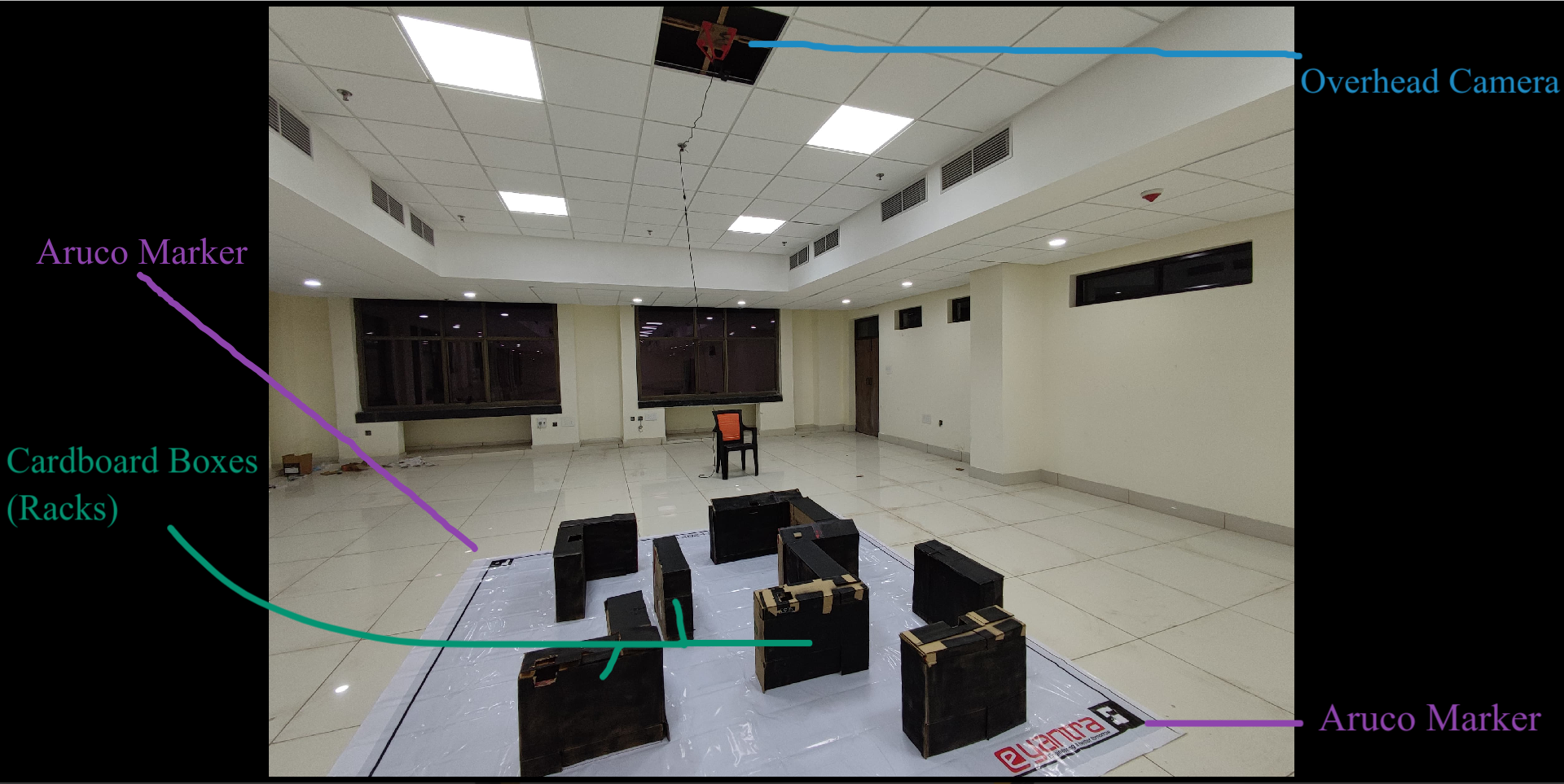
- Overhead Camera: 1080P 2.1 Megapixel Digital CMOS Camera.
- 4 Aruco markers at the corners of the Warehouse, used for image processing.
- To simulate storage racks, cardboard boxes have been used.
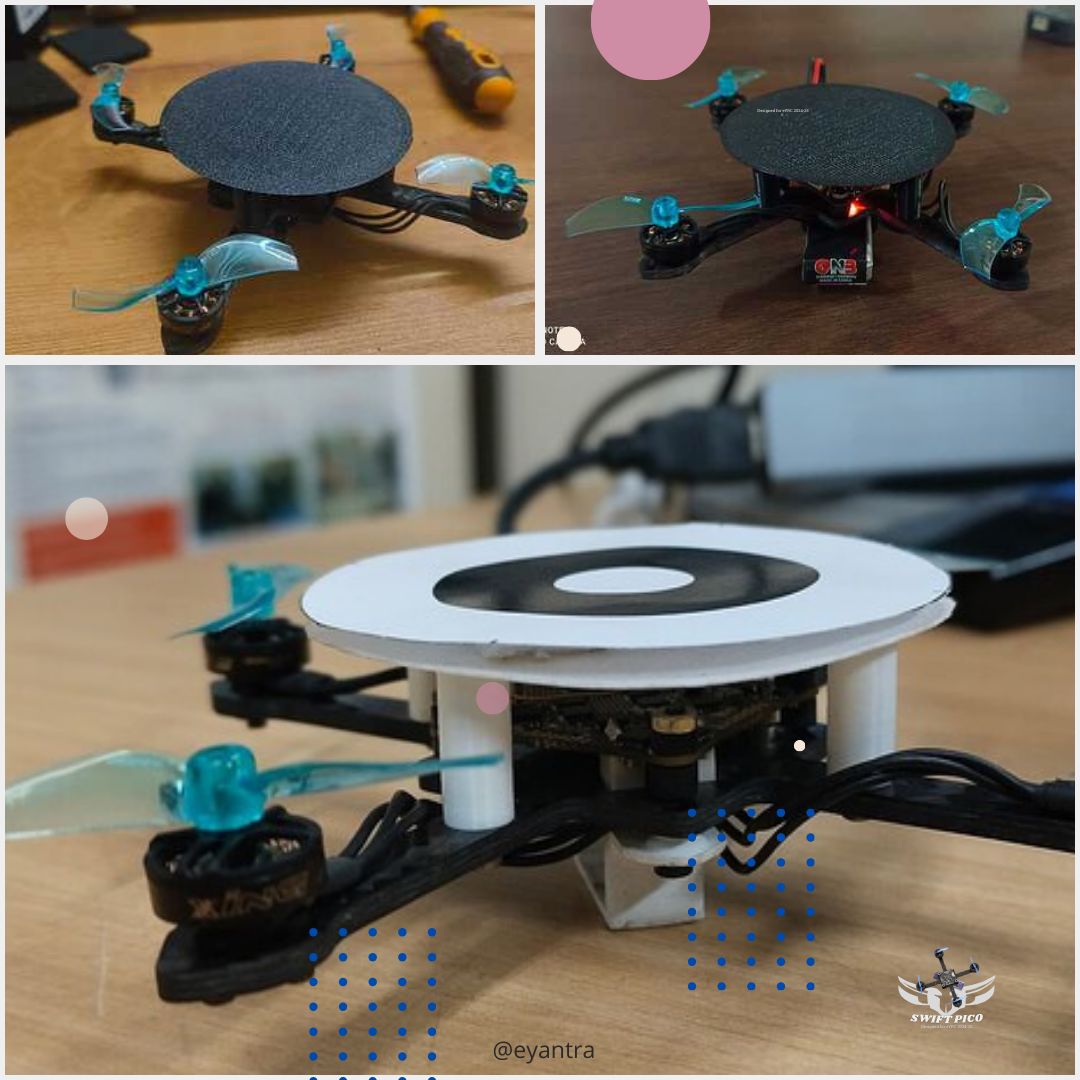
- Actual drone, with "Whycon Sticker" for identifying position.
Path Creation:
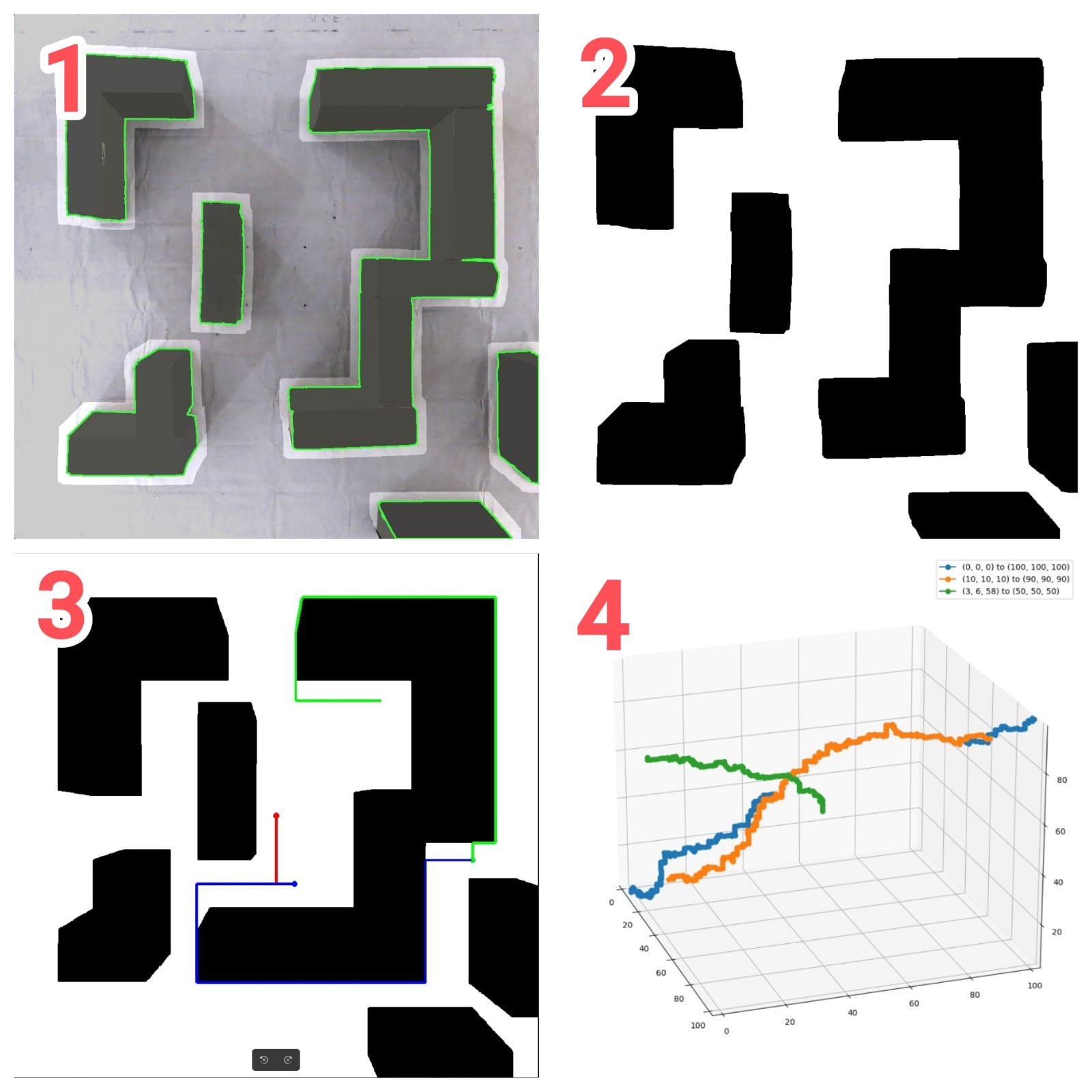
- Image From Camera === > (1) Image Processing === > (2) Bitmap-Creation === > (3) Path Finding using A* === > (4) conversion to Trajectory with 3D Coordinates (waypoins)
Drone Control
The Drone Server uses a PID controller to regulate roll, pitch, and throttle, ensuring stable hover at the client-specified target point.
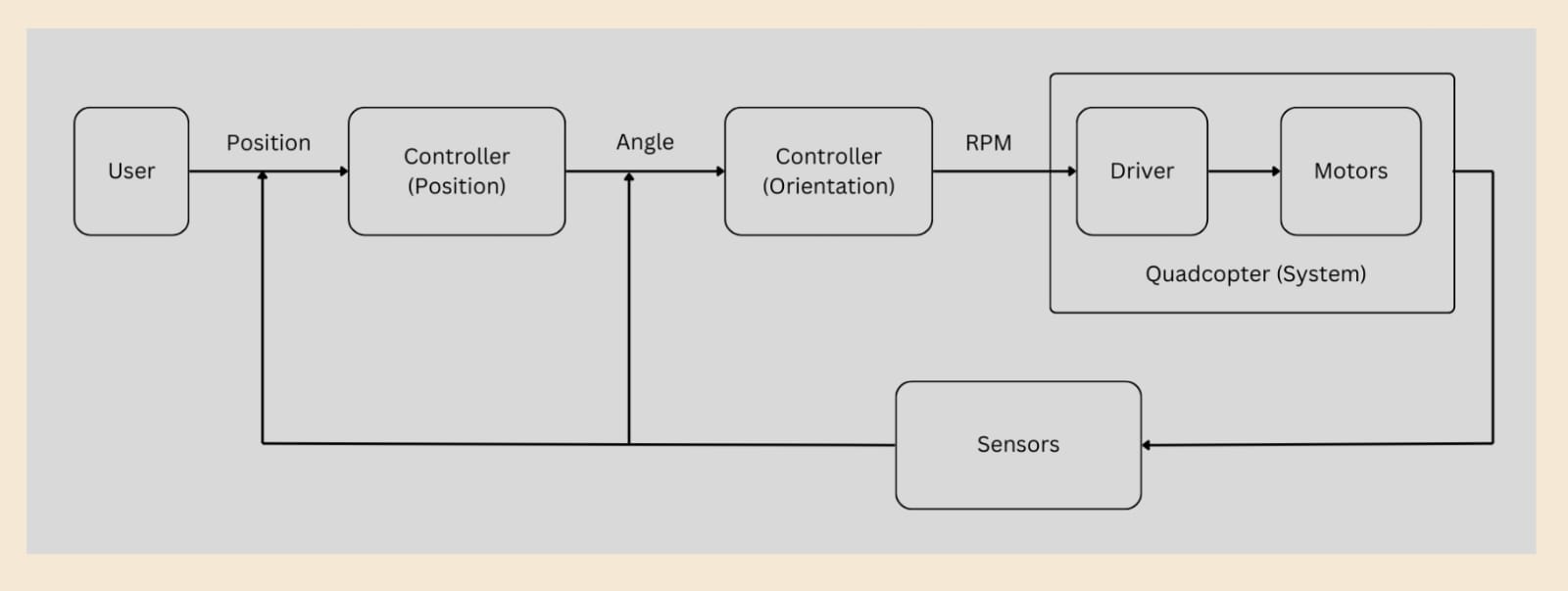
Hover at Target
Traverse A square shape
Upcomming : Traversing Path by avoiding Obstacles
Technical Details
Hardware
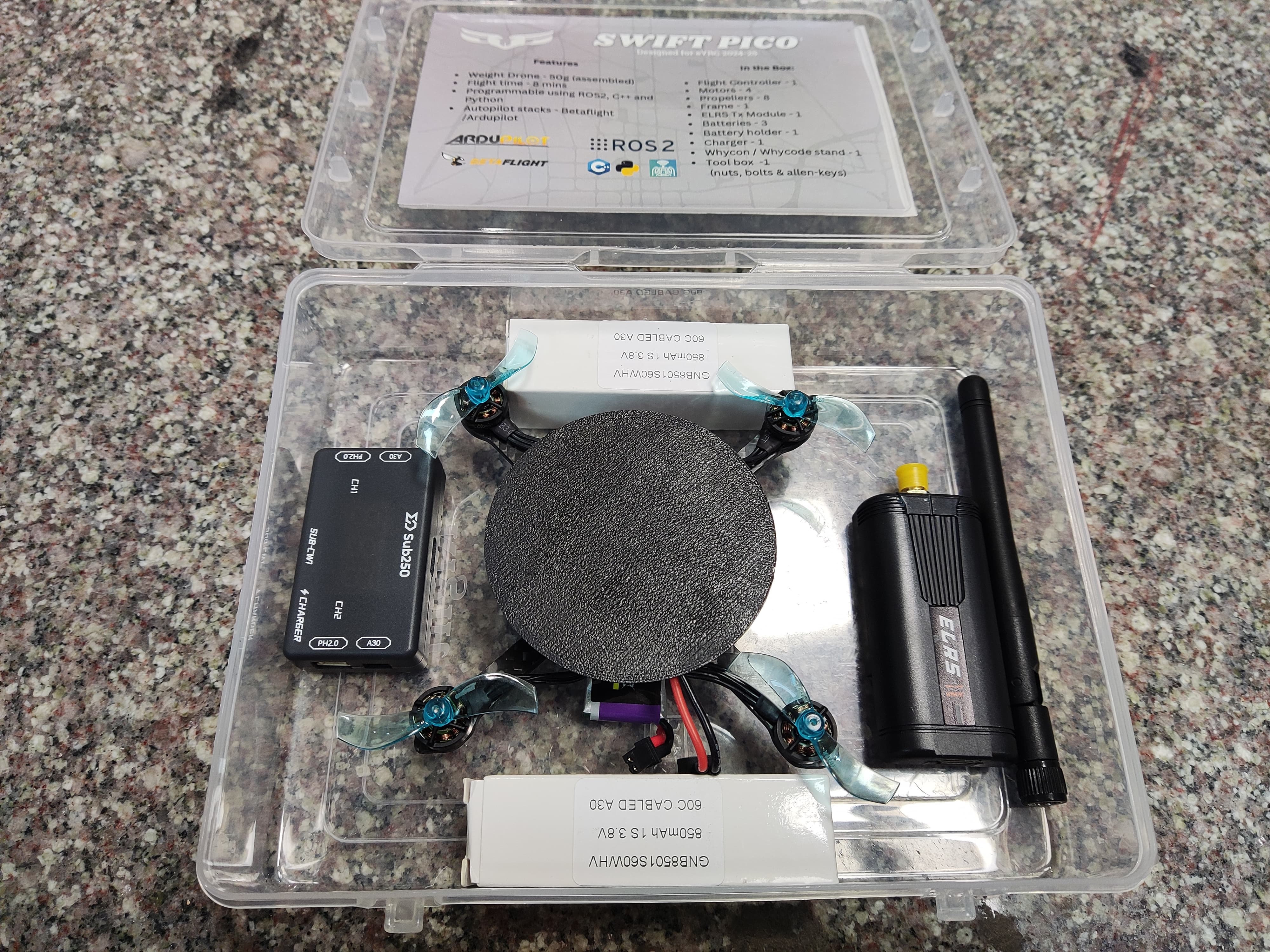
Kit: E-yantra Drone Kit.
- Flight Controller: CrazyF405HD ELRS 1-2S AIO Flight controller. It is a flight controller with a built-in Serial ELRS receiver and 4-IN-1 Blheli_S 12A ESC
- Transmitter: Frsky’s Vantac ExpressLRS Lite TX Module
- Overhead Camera: Lenovo 4XC1B34802 FHD Webcam
Images
Software
- Programming Language: ROS2, Gazebo, Python,C++, OpenCV, Rviz2
- Concepts: Control Systems, Quadcopter Dynamics, Quadcopter Assembly, Computer Vision, Path Planning.
Source Code
- Due to Restrictions from E-yantra, I am not allowed to share the source code.
Acknowledgments
Software: Package: E-yantra, Controller: me Hardware: Drone-kit: E-yantra, Setup: me
What’s Next?
Implememting Path Traversal + obstacle avoidance in Hardware.
Advanced Controllers for the drone.
- PID
- LQR
- Reinforcent Learning based Models